Many businesses spend time and effort on manually extracting data from invoices. This results in errors, duplicate records, and delayed financial reporting. As invoice volume grows, this manual extraction process becomes difficult to manage, especially as bookkeeping deadlines and tax season approach.
If you are also facing the same challenge, then there is good news. By following simple data extraction methods, you can quickly extract data from invoices into an editable format. Want to know what those methods are? Continue reading.
In this blog post, we will discuss multiple methods in a step-by-step procedure.
3 Methods to Extract Invoice Data for Faster Bookkeeping and Tax Preparation
You may use any of the following methods to efficiently extract editable information from invoices.
1. Google Drive
Google Drive, together with Google Docs, can help extract text from invoice images. The process is very simple and hassle-free.
Here are the steps that you need to follow:
- First, open Google Drive on your device and upload the invoice photo to it. For this, you need to click on the “New” button appearing in the top left of Google Drive.
- After clicking, select “File Upload” to complete the uploading of the invoice.
- When done, simply right-click the uploaded file and choose Open with > Google Docs.
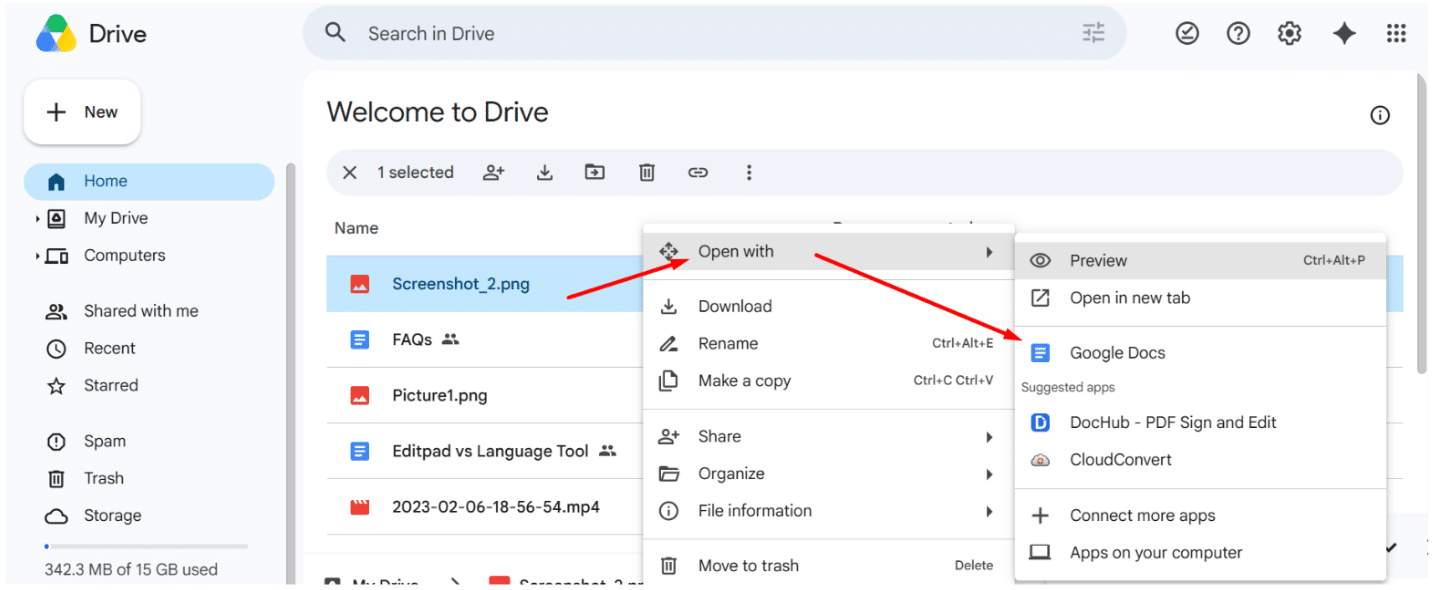
- Google Docs will take a few moments, depending on your internet connection and the invoice’s complexity, to generate the extracted text.
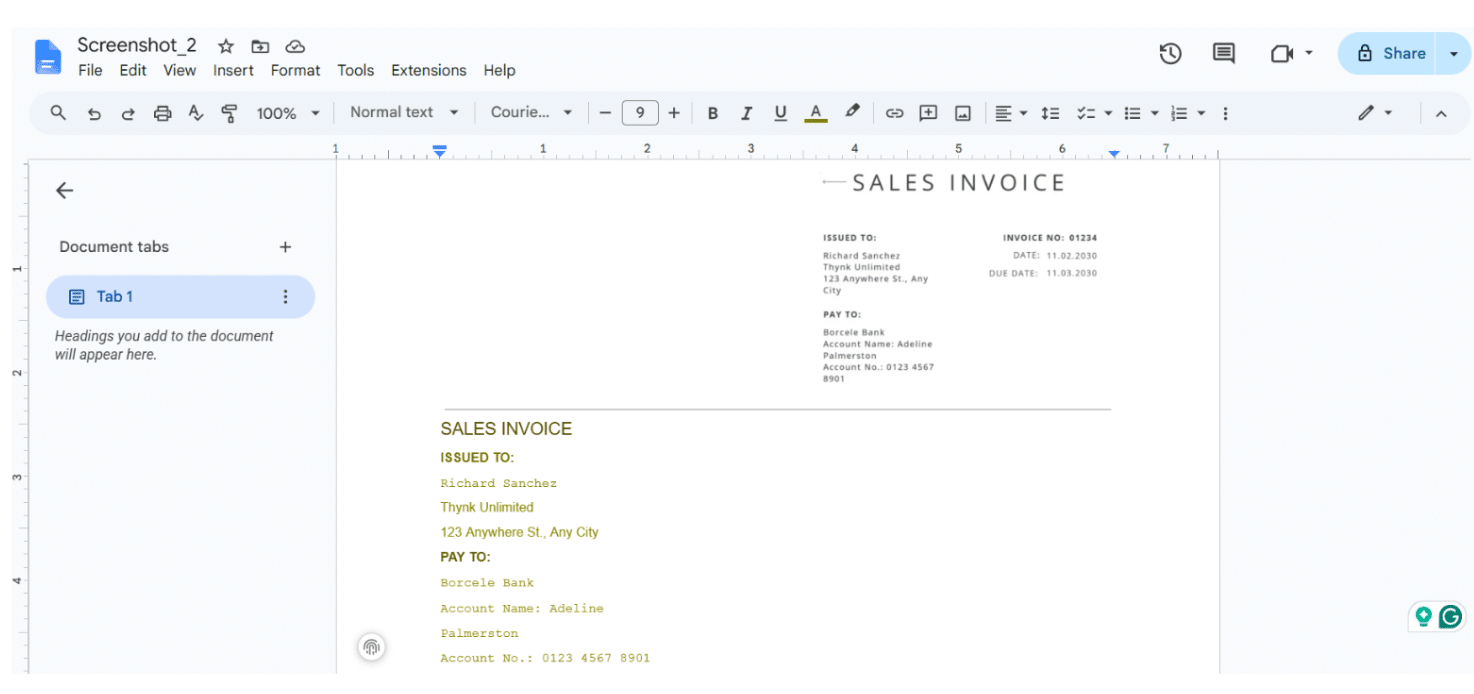
As you can see, all the information from the invoice has been successfully extracted and displayed. You can do the same as well.
2. Image to Text Converter
An image-to-text converter is an OCR-powered tool that extracts text from scanned documents, images, invoices, or even handwritten notes. There is a wide range of such converters available online; most are free, simple, and secure to use.
You can pick and use any of them. For this guide, we will use the image-to-text converter from JPGtoText.com to demonstrate the upcoming text extraction steps.
- Simply upload the invoice using any upload method supported by the tool, such as drag-and-drop or manual file selection. Make sure your uploaded photo is high-resolution. This ensures that the tool can accurately analyze the information in the invoice.
Note: The tool offers two OCR models for extraction: Simple OCR and Formatted OCR (paid). Simple OCR is selected by default and extracts data from the invoice without handling its formatting. Formatted OCR specifically preserves the formatting of the invoice file during extraction.
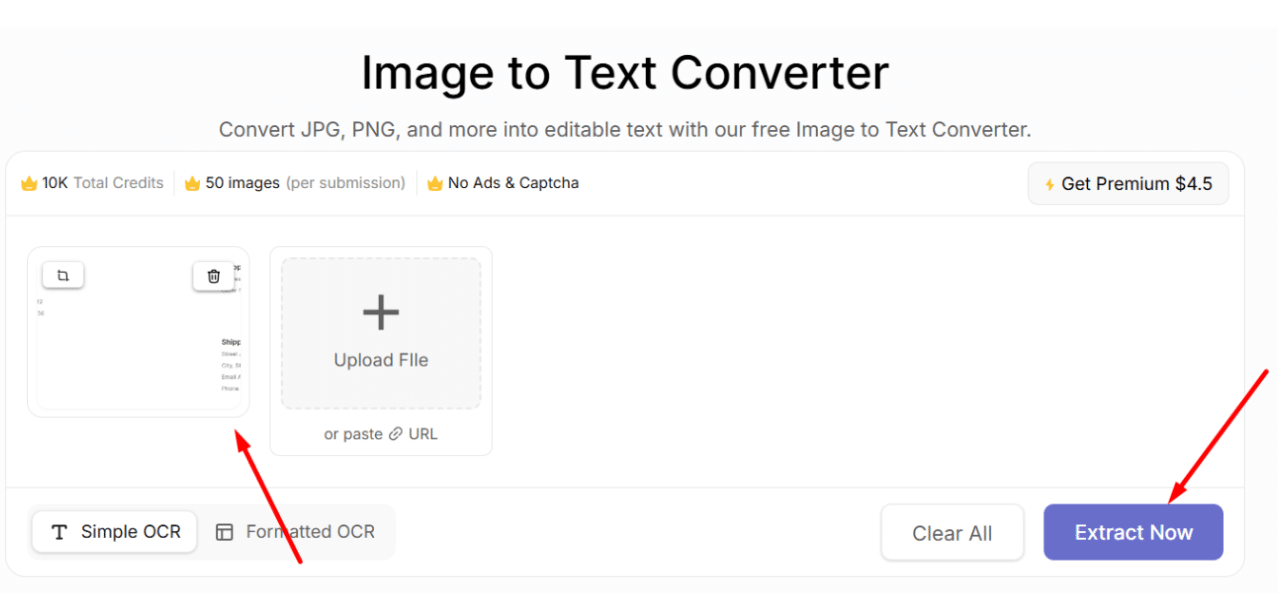
- Once the image is uploaded, click the “Extract Now” button to initiate extraction.
- Within a matter of seconds, the image-to-text converter will produce the extracted text in an editable format, preserving the original formatting. You will get the option to copy the output on the spot or download a .TXT file for later use.
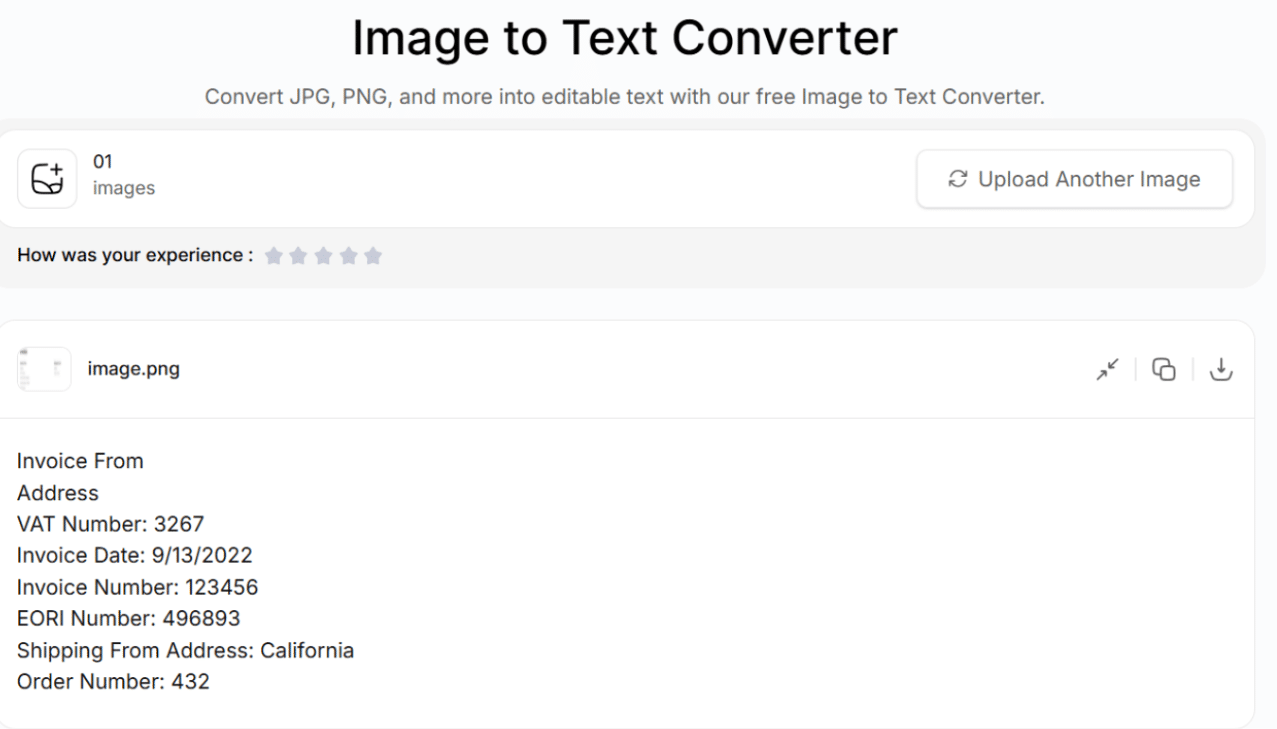
Utilizing an image-to-text converter is often one of the fastest and most convenient methods. This is because it is quick, accurate, and efficient.
3. Google Lens
- Google Lens is widely used to perform image searches on the internet. In addition to this feature, it can also be used to extract and copy information from invoices. To do so, it utilizes a diverse set of technologies, including OCR.
Below, we have discussed the steps that should be followed:
- First, upload the invoice to Google Lens. For this, go to Google.com and click on the “Image” icon in the search bar to get the upload option.
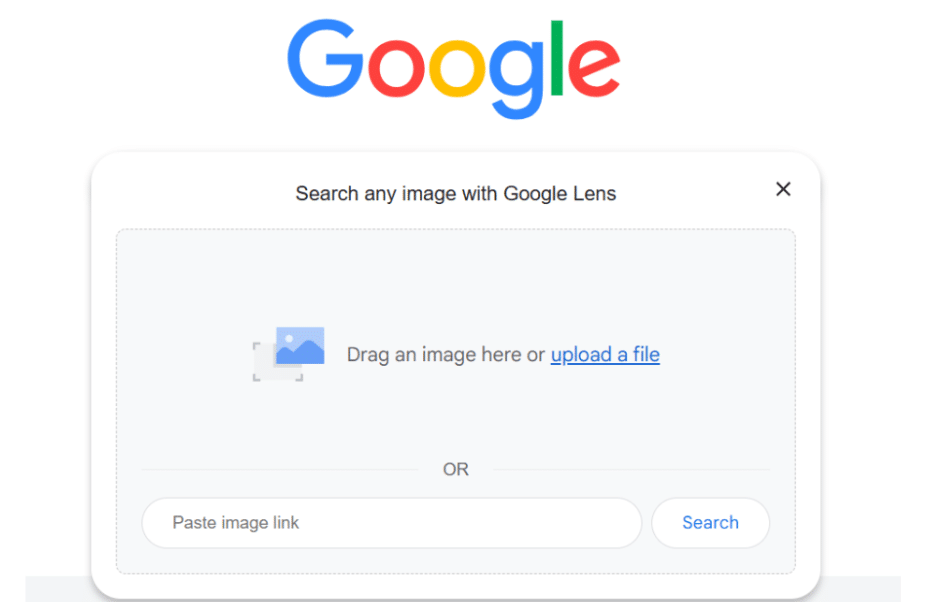
- Once the invoice is opened in Google Lens, select the Text option and highlight the text you want to copy.
- When the selection is made, you will get the option to “Copy.”
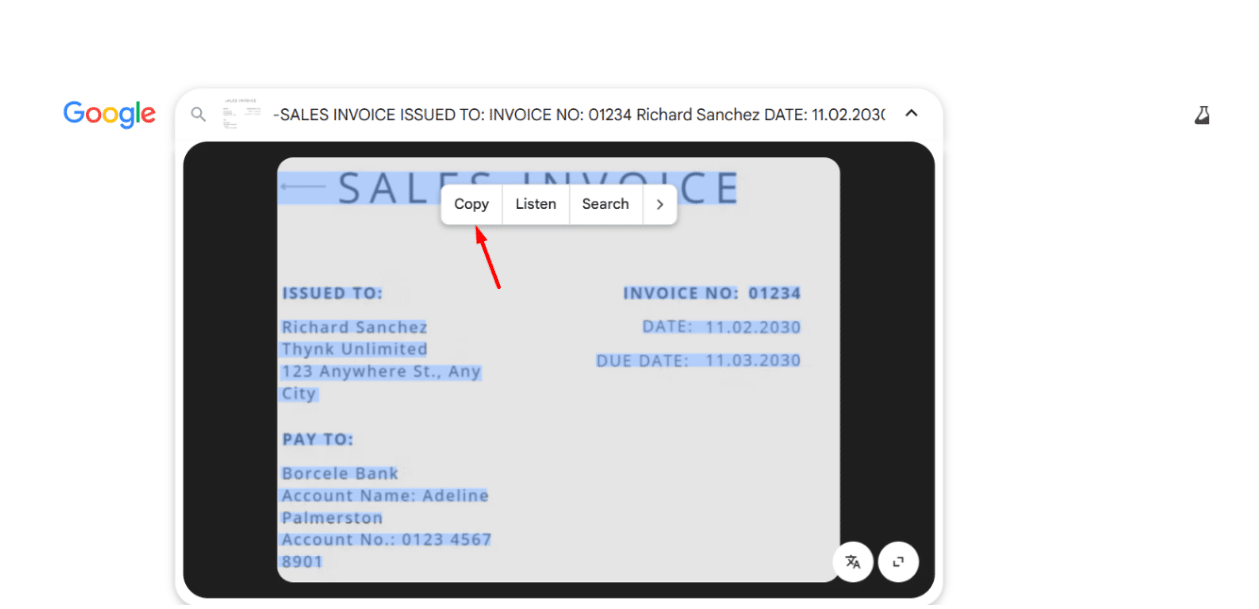
So, these are a few simple methods that you can use to quickly extract editable text from an invoice with minimal effort. You can go with any that you think is easy.
Wrapping It Up
When it comes to bookkeeping and tax preparation, extracting valuable information from invoices is no longer a task that should be done manually. This affects speed and increases the overall likelihood of errors.
So, in such a situation, instead of manually spending time and effort, you should go with simple methods that have automated this process. This blog post has discussed three of the best methods in a step-by-step procedure.
Frequently Asked Questions
Why is it essential to extract data from an invoice for bookkeeping and tax preparation?
Extracting invoice data serves as a foundation for maintaining organized financial records and ensuring compliance with tax regulations.
What file formats can be processed for invoice extraction?
You can process a range of file formats, including JPG, JPEG, PNG, BMP, GIF, TIF, and many more.
Is it safe to use image-to-text converters for invoice extraction?
Most image-to-text converters available online are generally considered safe to use. However, it is always recommended to read the privacy policy before using any tool.
“This content is for informational purposes only and does not constitute legal, tax, or financial advice. For advice specific to your situation, consult a qualified US attorney or CPA.”
File Your LLC Today
25$ off with a coupon
Lock in EasyFiling's transparent rates and get lifetime compliance support at no extra cost.
Get Started Now
Swostika Silwal